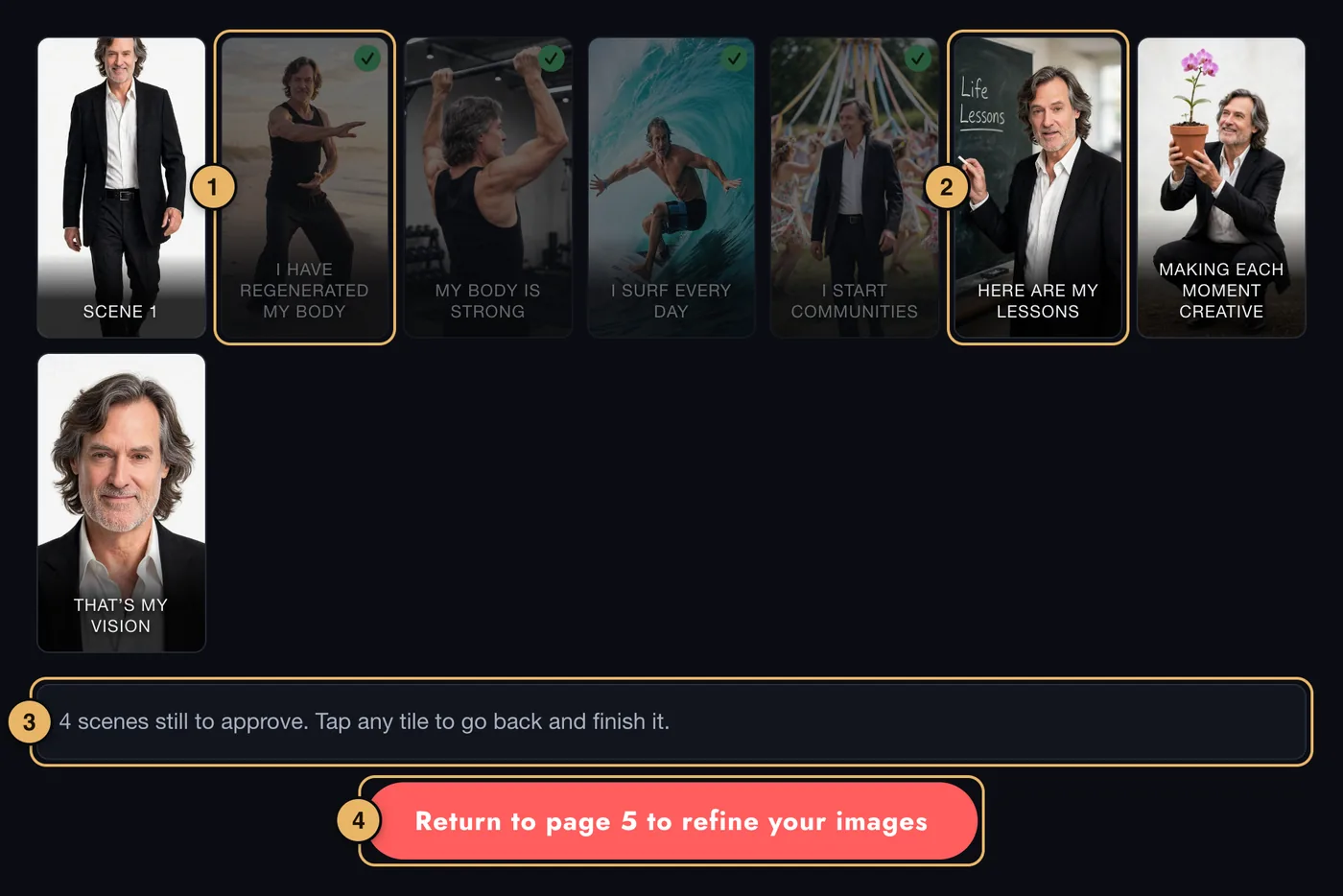
- An approved scene. It has a tick and is faded back.
- A scene still to approve. At full brightness. Tap any tile to open that scene on page 5.
- The note. Tells you how many scenes are still to approve.
- Create 1st Draft of Vision Movie. Turns bright red and can be pressed once every scene is approved.
When you open a scene from here, a ← Back to storyboard button appears on page 5 to bring you back.
Building the movie
Press Create 1st Draft of Vision Movie and we put the scenes, captions and music together into your first draft.
- Building takes up to 15 minutes.
- You do not have to wait. We email you the moment the draft is ready.
- When it is ready, the draft is on page 7.
If something goes wrong here
If the button stays dull, a scene is not yet approved - the note tells you how many. See also Waiting.