What you will need
- Three recent photos of yourself: one full body, one medium and one close-up.
- About half an hour of quiet for the questions. You can speak your answers.
- A piece of music you love - or choose one of ours.
Starting
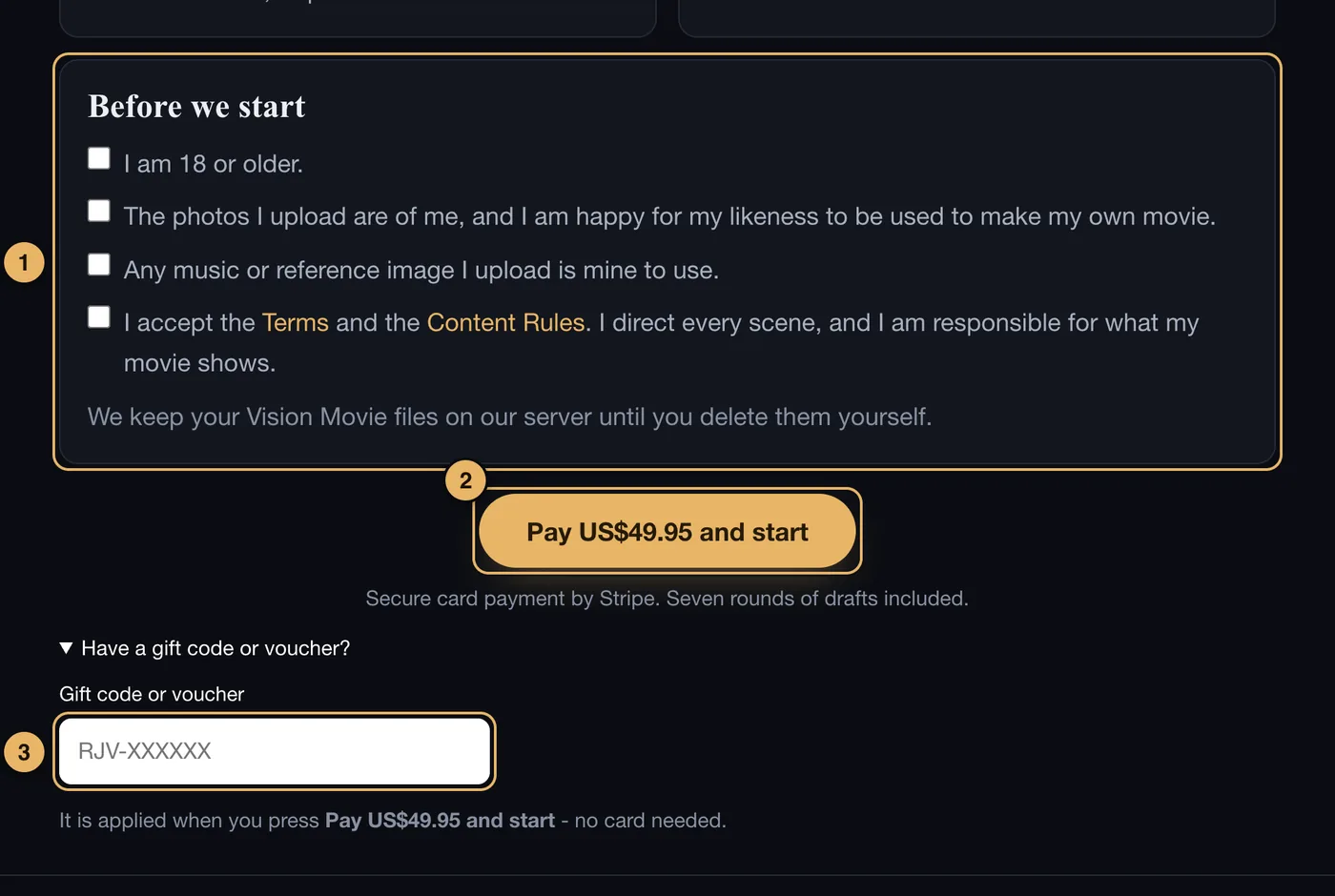
- Before we start. Tick all four boxes. The studio will not go past page 1 until they are ticked.
- Pay US$49.95 and start. Asks you to sign in or create an account, then takes you to Stripe to pay by card. After paying you arrive on page 2.
- Gift code. If someone gave you a Vision Movie, tap Have a gift code?, type the code here, then press the Pay button. No card is needed.
What happens when you pay
- You sign in, or create an account with your email and a password. This is so your movie is kept under your email.
- You pay on Stripe’s secure page. We never see your card number.
- You come back to the studio on page 2, and a small box asks for your name and nearest city. You can fill it in later.
The price is US$49.95, paid once. It includes seven rounds of drafts. There is no subscription.
Once your movie is paid for, the button on page 1 simply says Continue →.
If something goes wrong here
See Payment and gift codes and Signing in.