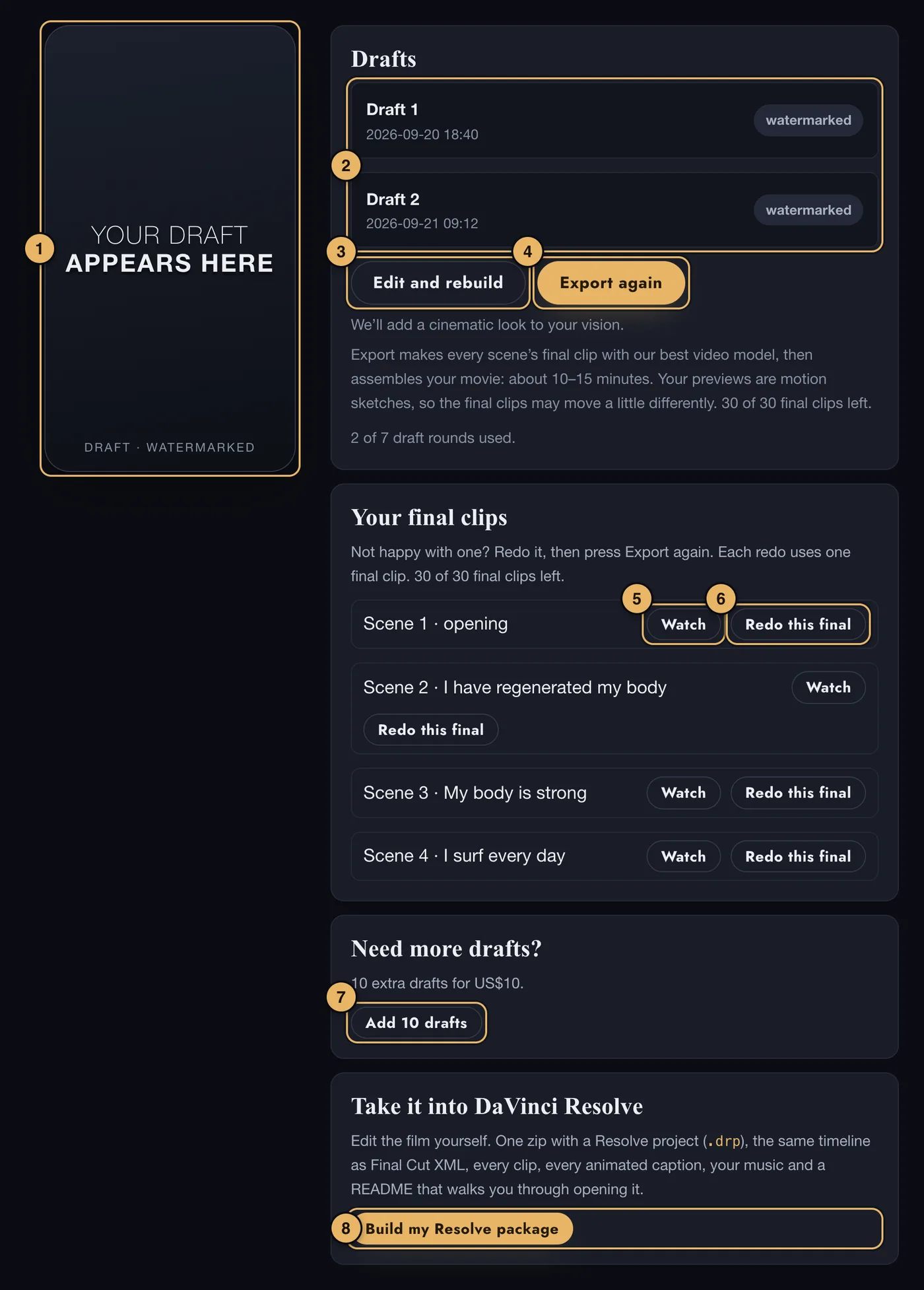
- The player. Your newest draft plays here. Drafts carry a small watermark until you export.
- Drafts. Every draft you have built, each with a Watch button.
- Edit and rebuild. Takes you back to page 5 to change scenes. Approve them again, then press Create on page 6 for a new draft.
- Export Final Movie. Makes every scene’s final clip, then the finished movie, without the watermark and with a cinematic look. After your first export it says Export again.
- Watch. Under Your final clips, which appears after your first export: plays that scene’s final clip.
- Redo this final. Makes a new final clip for that scene. It uses one of your 30 final clips. Then press Export again.
- Add 10 drafts. seven rounds of drafts are included. This adds 10 more for US$10.
- DaVinci Resolve. For people who edit video themselves. Offered once every scene has a final clip. See below.
Exporting
One press does it all. First the final clip of every scene is made with our best video model. Then your movie is assembled from the final clips. It takes about 10–15 minutes. We email you when it is ready, and your movie’s own page opens by itself if you stay.
Your previews are motion sketches, so a final clip may move a little differently from its preview.
Not happy with one scene? Under Your final clips, press Redo this final for that scene, then press Export again. Each redo uses one of your 30 final clips. Exporting again with nothing changed makes no new clips.
Exporting publishes your movie. After that you can share it on page 8, and order the widescreen versions on page 9.
Take it into DaVinci Resolve
This is optional. It gives you one zip file with a Resolve project, the same timeline as Final Cut XML, every final clip, every animated caption, your music, and a README. It is made from the final clips, so export your final movie first.
- Press Build my Resolve package.
- Press Download. Your browser builds the zip and saves it as one download.
- Keep the tab open until it says Saved. It is slow on a phone - a computer is better.
- Open README.txt inside the zip first.
If you build a new draft afterwards, press Rebuild so the package matches it.
If something goes wrong here
See Export and downloads and Limits.